


By Nagomi Security
Connected Remediation Flows. Control-Based Mitigations
Security teams know the fastest path to lower risk isn’t always a patch. Sometimes a patch isn’t available. Sometimes a change window pushes an update to weeks or months in the future. And too often the right information resides in a different tool, a different screen, a different team.
Nagomi’s Connected Remediation Flows and Control-Based Mitigations help SecOps teams close that distance. These two capabilities work together so teams can move from a simple prioritized exposure state to a concrete, defensible action in one continuous flow, putting the full context of teams’ existing security controls front and center.
1. Connected Remediation Flows
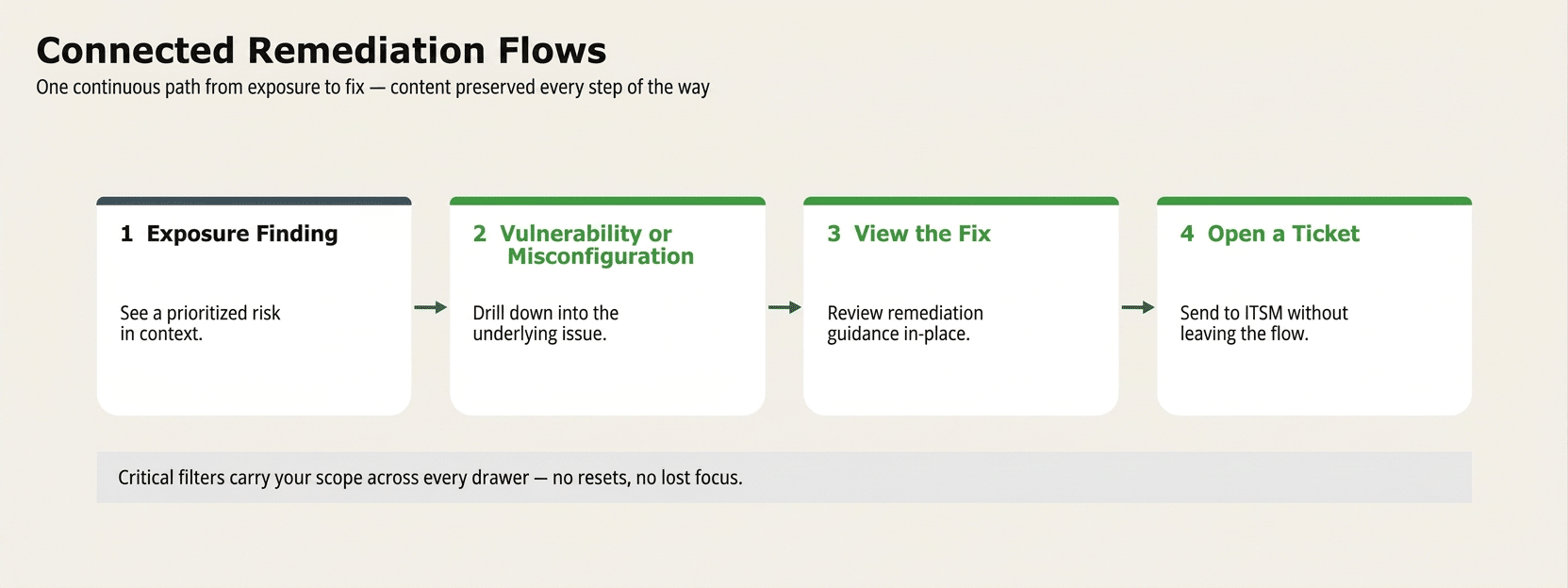
One continuous path from exposure to fix.
What it does
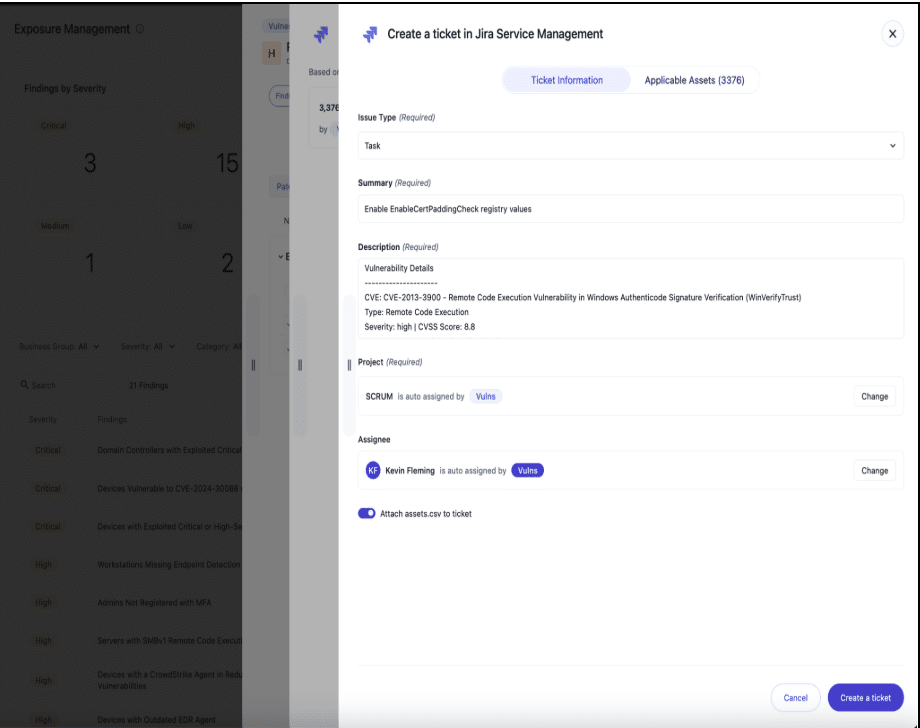
Nagomi users can now drill directly from an Exposure Finding into a detailed Vulnerability or Misconfiguration drawer, view the recommended fix, and open a remediation ticket without losing context or needing to switch screens. Every drawer is interconnected, so investigation and remediation happen in the same motion.
Context filters that carry your scope
As users move between drawers, read-only context filters preserve the scope from the page, so a finding opened from a specific business group or exposure stays scoped to that group as the issue is investigated. A simple toggle (the eye icon) lets users switch between the scoped view and the global view whenever a wider picture is needed.
New Misconfiguration Drawer
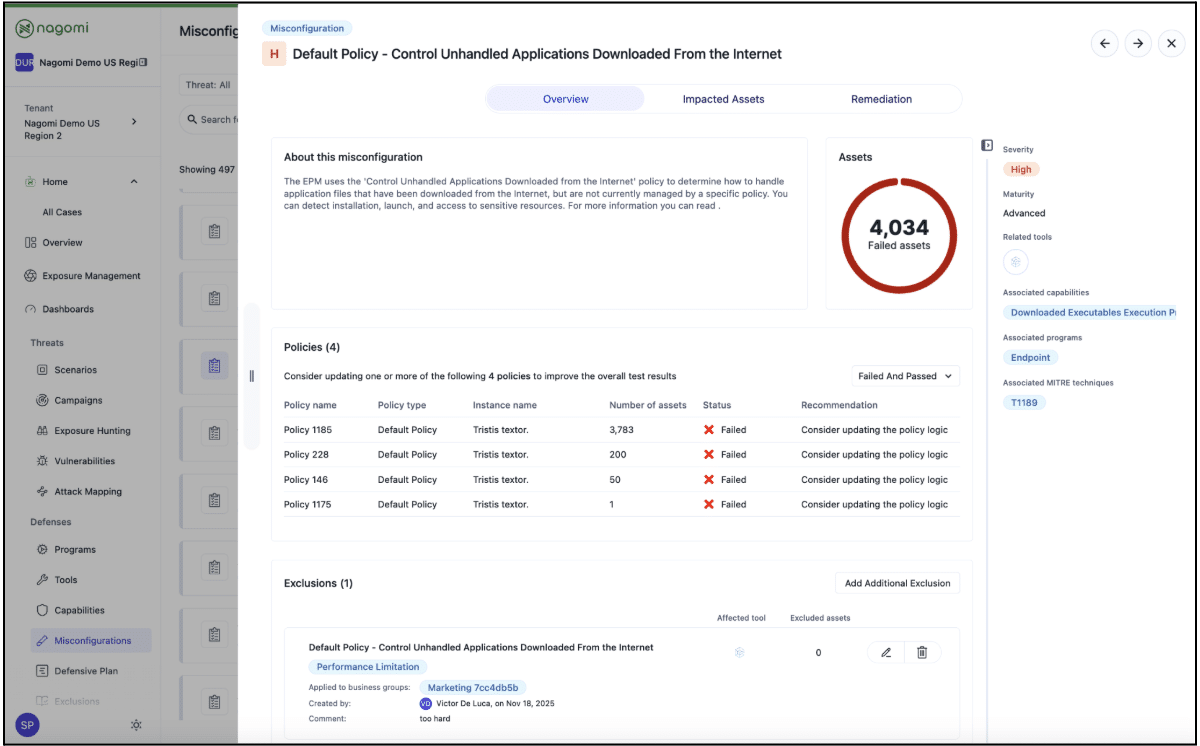
The Misconfiguration Drawer replaces the older expand-collapse test modal with a modern three-tab experience — Overview, Impacted Assets, and Remediation — so users can understand a misconfiguration, see the assets it affects, and act on it from one place.

Why it matters
- Fewer tool hops and fewer lost threads between analysts and ticket owners
- Context-preserving workflows that keep investigation and action aligned
- A uniform drawer experience across the platform, reducing training time for new users
2. Control-Based Mitigations
Reduce risk even when a patch isn’t an option.
What it does
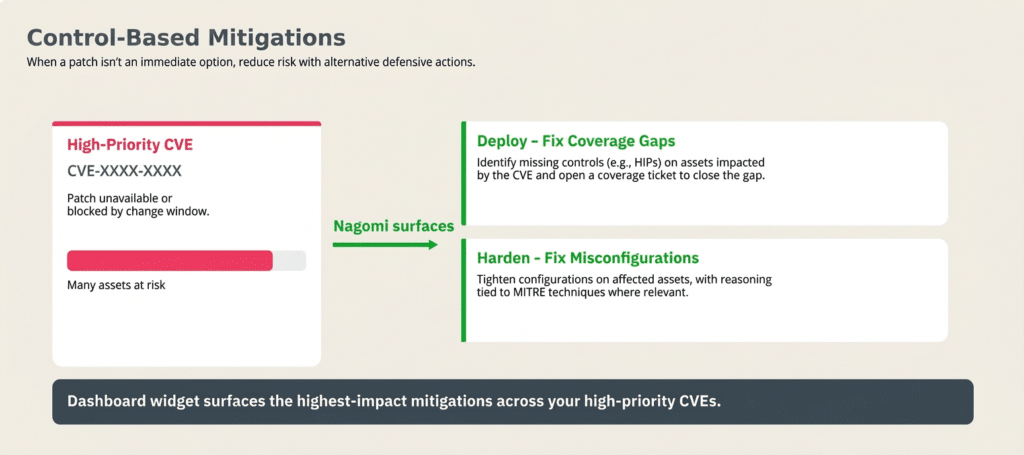
Control-Based Mitigations surface alternative defensive actions for a specific CVE when patching isn’t immediately possible. Rather than waiting for a change window, teams can tighten their existing controls to reduce the likelihood of exploitation, using assets and gaps Nagomi already tracks across the environment.
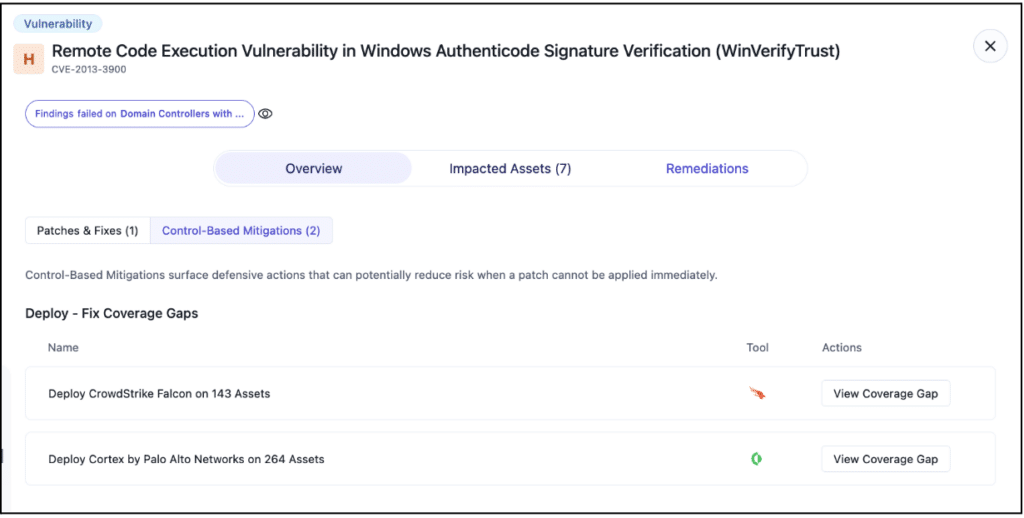
Two types of mitigations

In either path, users can open a coverage ticket or a misconfiguration ticket directly from the drawer to preserve the CVE context as the workflow continues. Users may also toggle the context off (via the eye icon) to view the control at a global level.
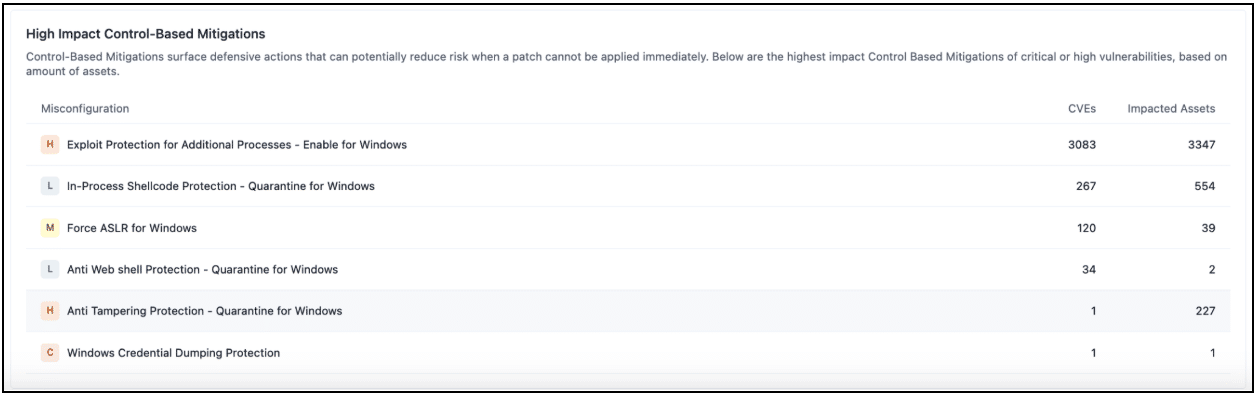
High Impact Control-Based Mitigations dashboard widget

The widget shows:
- The mitigation test
- its criticality
- the number of CVEs it addresses
- the number of assets it covers
The aim of this output is to allow security leaders to answer the question, “Which single defensive action will reduce risk across the most vulnerabilities right now?”
Why it matters
These features were incorporated into the Nagomi platform to give users:
- A defensible answer when patching is blocked, deferred, or impossible
- Ranked, asset-aware recommendations rather than generic advice
- Evidence that explains why a mitigation is effective, grounded in Nagomi’s control-first context and MITRE technique mapping
Better Together
Connected Remediation Flows give security teams a faster path through every finding. Control-Based Mitigations make sure that path leads to an action the organization can actually take, even when a patch isn’t on the table. Together, they turn Nagomi’s exposure insights into immediate defensive actions, grounded in the security controls already available in the company’s environment.

See Nagomi in action at nagomisecurity.com